
Upscale an image

JPG, PNG or WebP, up to 3,000 pixels on the long side and 20 MB. 1 credit per image, only when it works. Results are saved to your library.

AI upscaler · Up to 4K · 1 credit

Upscale images without losing quality.

Make a small photo up to 4× bigger and sharper, up to 4K, in about 20 seconds. The AI brings back edges and texture instead of stretching pixels into blur.

For print, product listings, banners and old photos. Nothing to install.

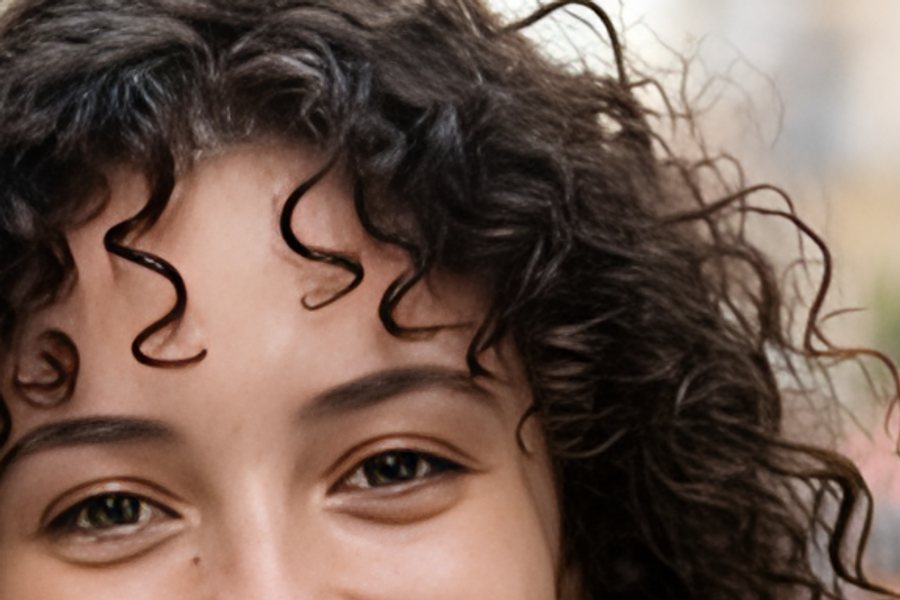
A close-up of a smiling woman's face, upscaled with AIA close-up of a smiling woman's face, enlarged normally

See the difference

Real results. Each photo was shrunk to 480×320, then enlarged to 1,920×1,280 the normal way and with the upscaler. These are close-ups; drag to compare.

A close-up of a smiling woman's face, upscaled with AIA close-up of a smiling woman's face, enlarged normally

Portraits

Eyes, lashes and hair come back into focus, without the plastic look.
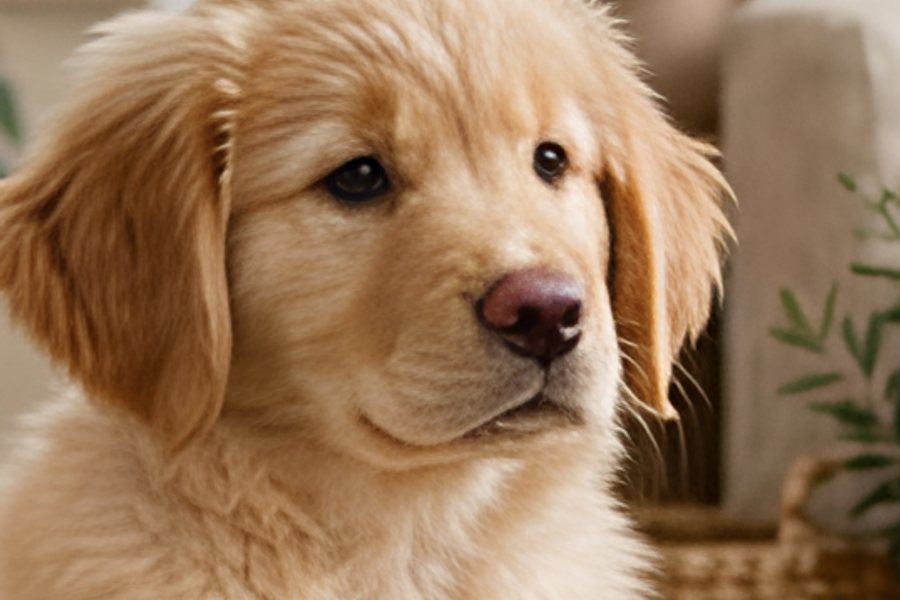
A close-up of a golden retriever puppy's face, upscaled with AIA close-up of a golden retriever puppy's face, enlarged normally

Pets & fur

Soft fur and whiskers stay natural instead of turning into smudges.
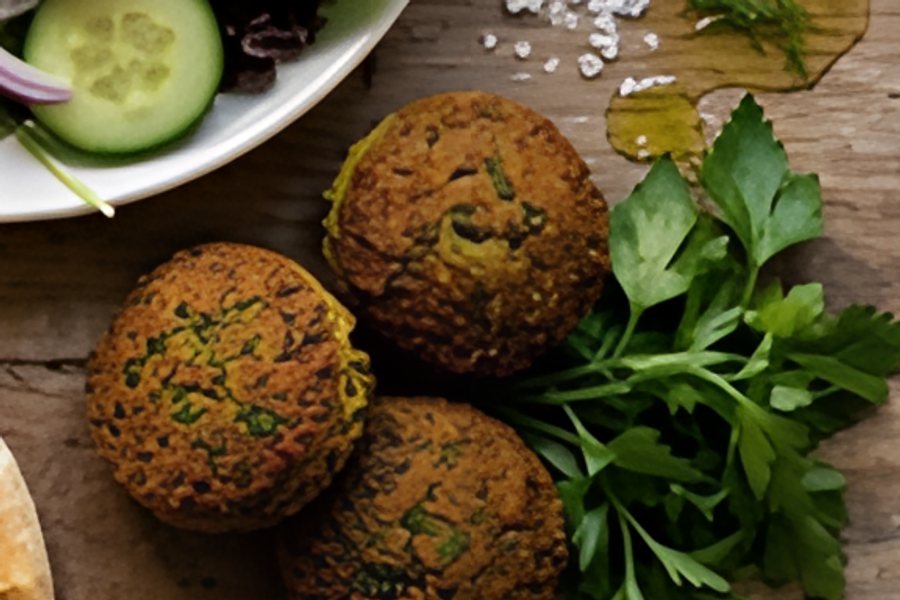
A close-up of falafel and parsley on a wooden table, upscaled with AIA close-up of falafel and parsley on a wooden table, enlarged normally

Food & product texture

Crumbs, seeds and surfaces get their texture back, ready for menus and listings.

How to upscale an image

  1. 1
    Upload a photo

    Choose a JPG, PNG or WebP from your device, or pick one from your StockUnlimited library.

  2. 2
    See the new size

    Before you spend anything, you see exactly how big it will be: up to 4× larger, and up to 4,096 pixels on the long side.

  3. 3
    Upscale and download

    It takes about 20 seconds and costs 1 credit. The result is saved to your library, ready to download or edit.

Why use this upscaler

4× larger, up to 4KUp to 4,096 pixels on the long side, big enough for print, banners and 4K screens.
Real detail, not blurAI sharpens edges and texture instead of just stretching the pixels.
Faithful to your photoIt sharpens what's there rather than inventing new faces or objects.
FastResults in about 20 seconds, with nothing to install and no load on your device.
1 credit per imageNo subscription needed, and you're only charged when the upscale succeeds.
Transparent PNGs stay transparentCut-outs and logos keep their see-through background.

Questions people ask

How much bigger will my image get?
Up to 4× on each side, with the long side capped at 4,096 pixels, and the shape stays the same. A 640×480 photo becomes 2560×1920, and a 1024×768 photo becomes 4096×3072. You see the exact size before you upscale.
How much does it cost?
1 credit per image, and you're only charged when the upscale succeeds. Every account gets 3 free credits a day.
What's the largest image I can upscale?
Images up to 3,000 pixels on the long side. Larger images are already high resolution, so there's little left to gain.
Will it make my photo look fake?
No. The upscaler sharpens the detail already in your photo instead of redrawing it, so faces, text and products still look like themselves.
Does it work on AI-generated images?
Yes. It's a good way to take an AI image or an old, small photo to print size.
Does it keep a transparent background?
Yes. A PNG with a transparent background comes back as a transparent PNG. Other images come back as high-quality JPGs.
Where does the result go?
It's saved to your library automatically, next to your other images. Download it, open it in the editor, or use it in a new creation.
Can I use the upscaled image commercially?
Yes, for images you have the rights to. Upscaling doesn't change who owns the image or its license.

Bring a small photo up to size.

See the new size before you spend a credit.