1Your photo
Sign up free to upload

Removing the background and browsing backgrounds are free. Already have an account? Sign in

2Background
Indoor
Outdoor
3Blend
Sign up free to blend

Upload a photo and pick a background first.

Real stock backgrounds · AI blending

Change the background of any photo.

Put your product, pet or portrait on a real stock photo, and AI matches the light and shadows so it looks like one shot. 10 credits, license included.

Before and after

Real results: the original photo, and the same subject on a new background.

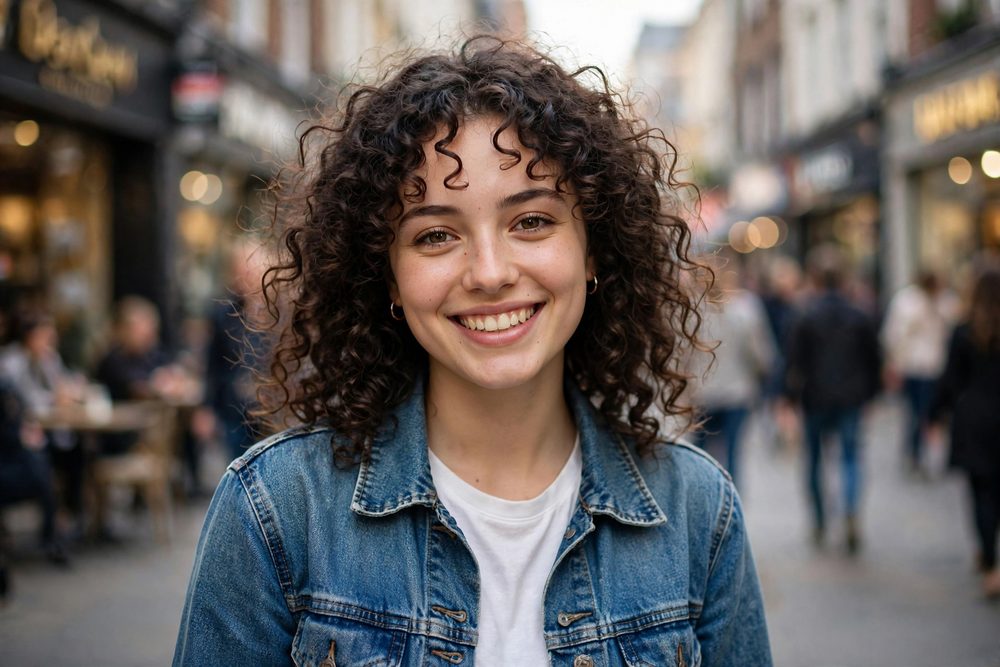
A smiling woman in a denim jacket, original photoBefore
A smiling woman in a denim jacket on a new backgroundAfter

From a busy street to a sunset view

The new light wraps around her hair and face, as if she was really there.

A glass perfume bottle, original photoBefore
A glass perfume bottle on a new backgroundAfter

From the garden to a mountain lake

The bottle picks up the morning light and sits on the rocks instead of floating.

A white leather sneaker, original photoBefore
A white leather sneaker on a new backgroundAfter

From the street to a bright living room

A lifestyle shot for listings, with every stitch of the product kept exactly.

How to change a photo's background

  1. 1
    Upload your photo

    The background is removed automatically in a few seconds.

  2. 2
    Pick a new background

    Search real stock photos, choose a preset scene, use your own photo, or a plain color.

  3. 3
    Place it and blend

    Drag and resize your subject, then blend. Light, color and shadows are matched to the scene for 10 credits.

Why use real stock backgrounds

Real, licensed backgroundsChoose from millions of stock photos, not AI-made scenes. The license is included.
Lighting that matchesAI matches light direction, color and shadows so it looks like one photo.
Keep product exactLabels, logos and details stay pixel-perfect while the scene around them is blended.
Indoor and outdoor scenesKitchens, studios, offices, beaches, city streets, parks and more, ready to browse.
10 credits per imageIncludes the stock license. Plain color backgrounds are free.
Keep editingOpen the result in the editor to add text, crop, resize for social or upscale.

Questions people ask

How do I change the background of a photo?
Upload your photo and the background is removed automatically. Pick a new background, drag your subject into place, and blend. The result is saved to your library.
How much does it cost?
10 credits per blended image, and that includes licensing the stock photo you choose. You're only charged when it works. Plain color backgrounds are free.
Are the backgrounds really stock photos?
Yes. You choose from real, licensed stock photos, the same ones you can download on StockUnlimited. The photographer is paid, and the stock photo is added to your library too.
Will my product's label or logo change?
Not with Keep product exact turned on. The AI blends the scene, light and shadows, and your original product is placed back on top pixel for pixel.
When should I turn Keep product exact off?
For people and pets. With it off, the new light falls on skin, hair and fur too, which looks more natural. Products with text are best with it on.
Can I use my own background photo?
Yes. Upload any photo as the background, or pick one from your library. It costs the same to blend.
Can I get a plain white background for Amazon or Etsy?
Yes, and it's free. Choose Color, pick white, and download. No blending is needed for plain backgrounds.
Can I use the result commercially?
Yes. Stock backgrounds come with a royalty-free license, and your own photo stays yours.